How to Sign Up for Hyperliquid: Account Setup Guide (2026)
Set up a Hyperliquid account in under 3 minutes — no KYC, no password. Email login or wallet connect, how to check your referral code actually applied, and how to avoid phishing clones.

Signing up for Hyperliquid takes less than 3 minutes. No ID upload, no password to create, no approval queue. Which is exactly why you finish and think "Wait, am I actually signed up? Did I skip something?" And if you've come over from centralized exchanges, that feeling hits even harder. So here's the 3-step Hyperliquid signup, plus the one thing to check the second you're in: whether your referral code actually stuck.
💡One quick thing before you start!
Hyperliquid event code link: https://app.hyperliquid.xyz/join/EVENTCODE
Hyperliquid Signup in 3 Steps
1. Open Hyperliquid and Set Your Language
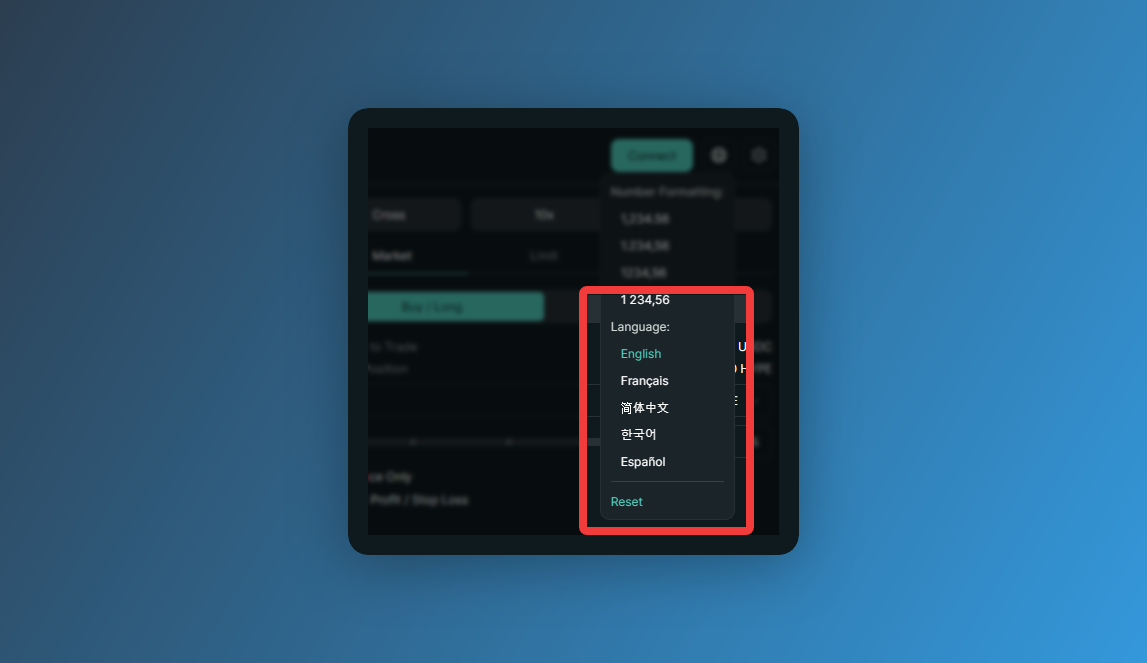
👉 https://app.hyperliquid.xyz/join/EVENTCODE
Go in through this link and the event code is already attached — nothing for you to type. Worth knowing: Hyperliquid supports English, French, Simplified Chinese, and Spanish. Hit the language icon in the top right, pick yours, then get on with signing up.
2. Connect a Wallet or Log In With Email
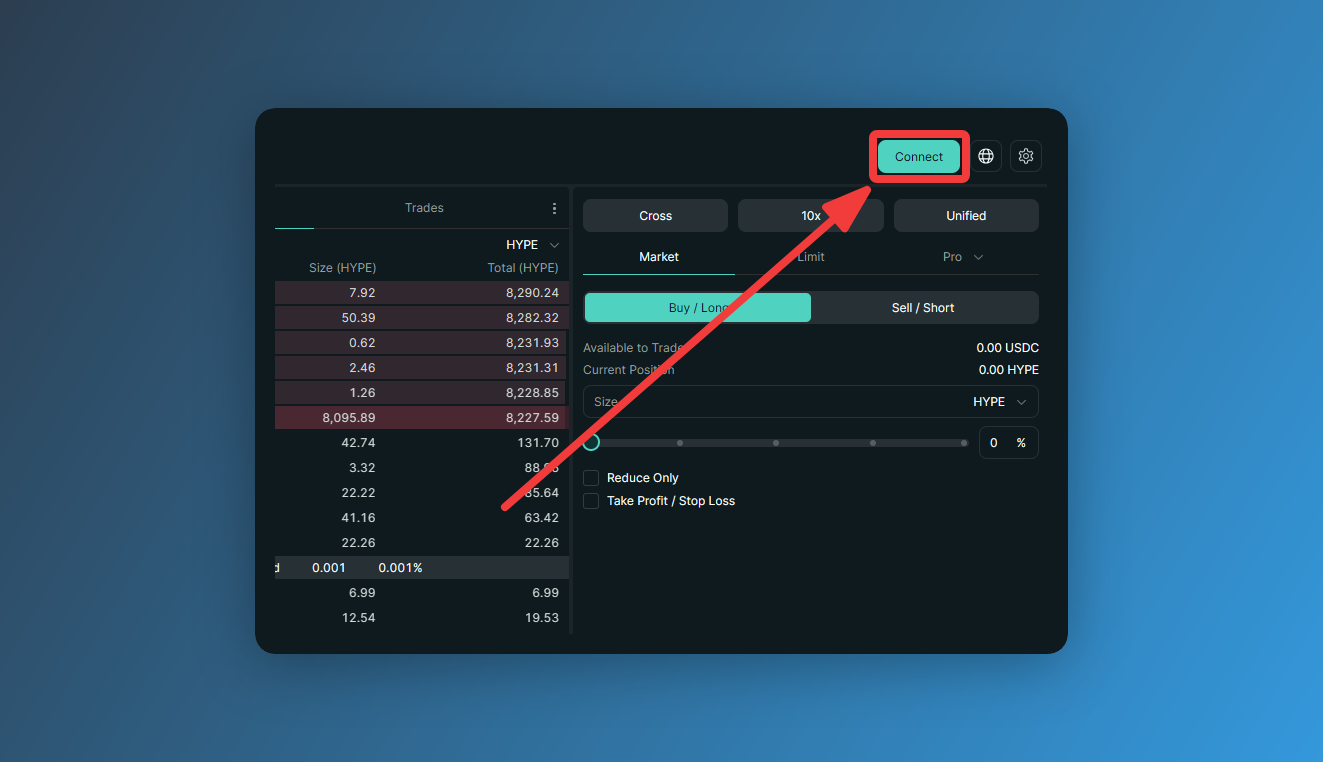
Click [Connect] in the top right. Two ways in from here.
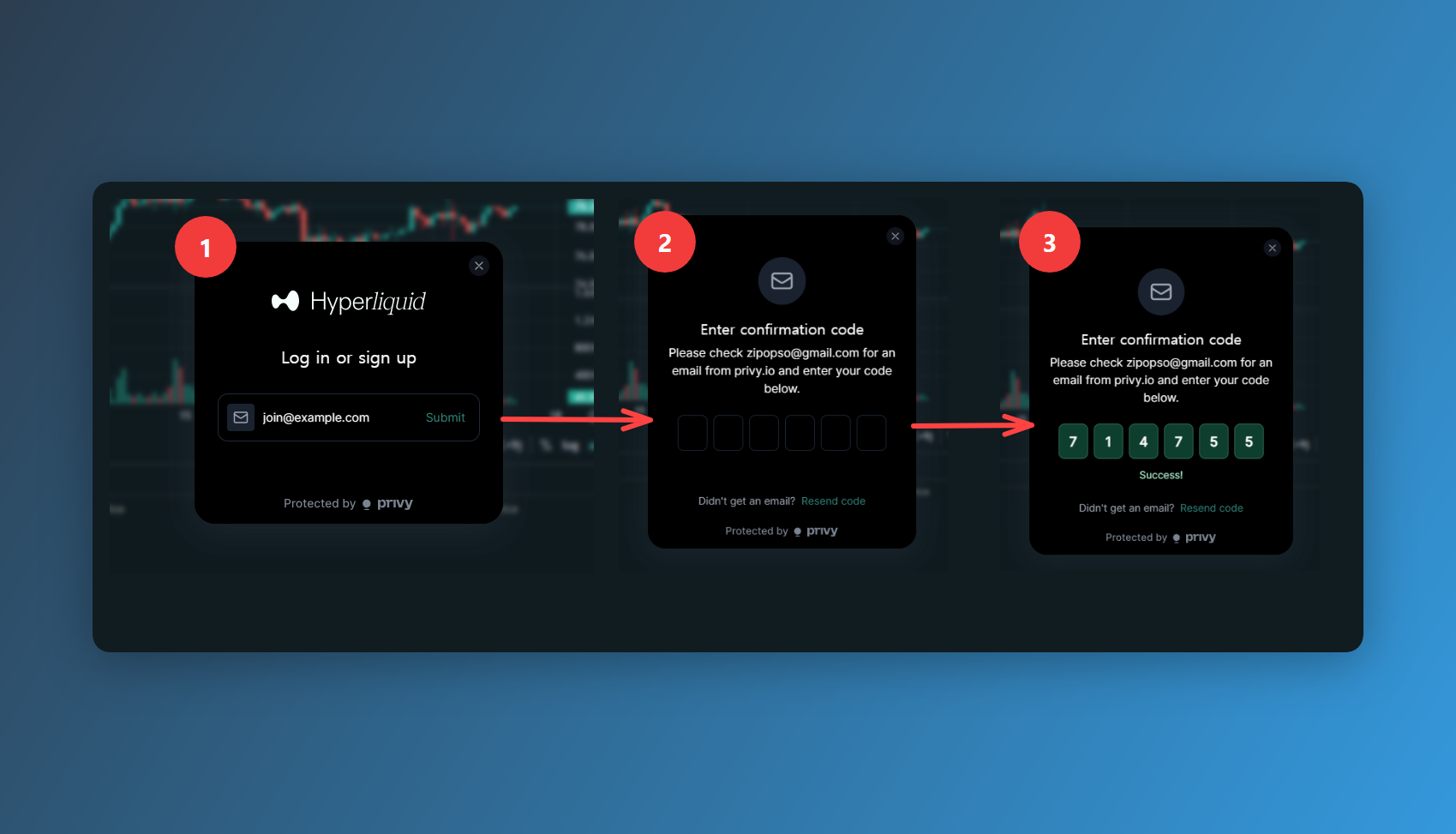
- Email signup (recommended) — enter your email, hit [Submit], and a 6-digit code lands in your inbox. Type it in and you're connected. Signing up this way quietly spins up a wallet address that's yours alone. Every login after that connects to the same wallet automatically, so it feels like logging in anywhere else.
- No password?: Instead of storing a password, Hyperliquid generates a crypto wallet tied to your email the moment you sign up. The 6-digit one-time code that hits your inbox every time you log in is the actual key that opens it. Nothing to forget, nothing sitting on a server waiting to get breached.
- Wallet connect — pick MetaMask, Rabby, or whatever you use, and the extension pops up a connection request. Click [Connect], then hit [Enable Trading] on the next prompt and sign. That signature costs no gas.
Once you're in, click your profile and your wallet address shows at the top. That's it — you're signed up.
3. Verify Your Referral Code Applied
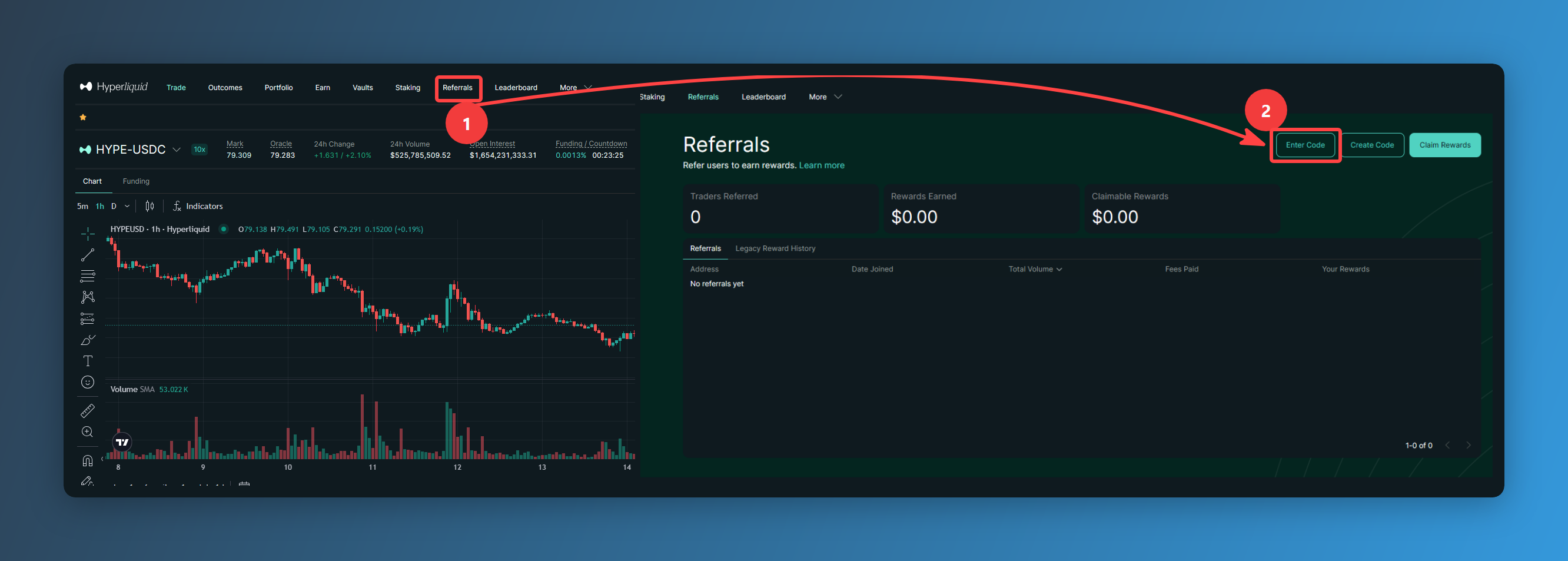
Head to the [Referrals] page, click [Enter Code], and check for yourself that a code is actually in there. Even if you used the event link, the code doesn't always stick — it depends on your browser and how you got there.
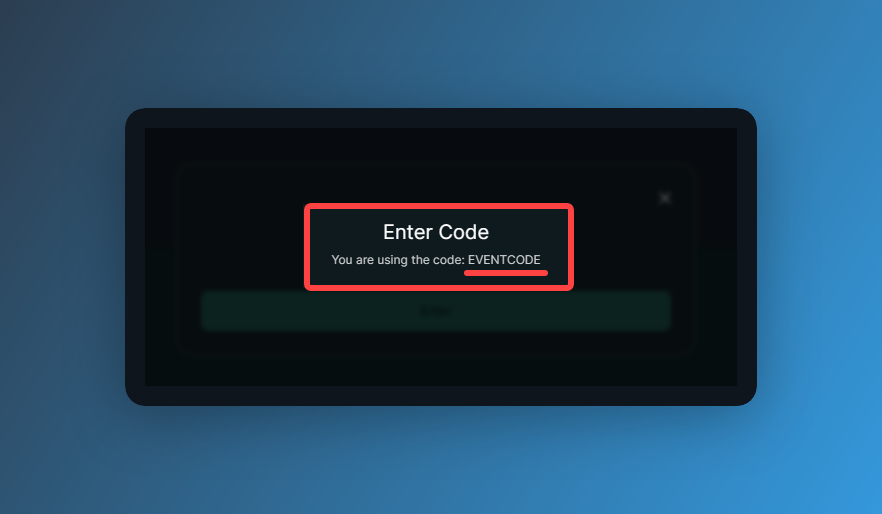
If 'Code you are using' is blank, type in 'EVENTCODE' to lock in the extra 4% fee discount.
Hyperliquid's base fees are already low, but entering a referral code gets you an extra 4% off trading fees up to your first $25M in cumulative volume. The more size you push, the more that 4% is worth — so take ten seconds and make sure the code is there.
Watch Out for Phishing Clones
One more thing: always check the URL bar before you connect anything.
Fake Hyperliquid sites have already drained real people. Traders searched for Hyperliquid, clicked the sponsored result at the top, connected their wallet to a clone, and watched it empty out. (Related: Fake Hyperliquid Google ad linked to Inferno drainer steals USDC)
With an exchange account, even a stolen password still runs into OTP and withdrawal address whitelists. A wallet has none of that. One signature on a fake site and it's over. Which is why this one is worth being paranoid about.
Don't click the sponsored ads at the top of search results. Same goes for any link you can't trace back to a source you trust. Use the official Hyperliquid link and nothing else. I bookmarked mine the first time I went in, and that bookmark is the only way I get there now.
Why There's No Signup Form or KYC
There's no signup on Hyperliquid, at least not the kind you're used to. No email verification, no password, no ID upload, no waiting on approval. I got into the why of it in [What Hyperliquid Is and How HYPE Works].
The short version: the exchange doesn't create an account for you — your wallet address is the account. Connect a wallet and your trade history attaches to that address, and that's your account. There's nothing for an exchange to issue, so there's nothing to sign up for.
Email login works the same way underneath. Your email isn't a username; the moment you log in, a wallet address only you can use gets created. Email on the outside, wallet on the inside.
So the way you confirm you're in is different too. You're not waiting on a verification email — you're looking for your wallet address in the top right of the screen. If the address is there, you're done.