How to Check Your Actual Binance Fees (What Your Account Really Pays)
A guide to checking your real Binance fees. Find your current VIP tier, confirm whether the BNB fee discount is active, and see the actual rate deducted on spot and futures trades.

When people talk about fees, they almost always quote "0.1% on spot." But that's the base rate with zero discounts applied. What actually leaves your account depends on your tier, whether a referral discount is attached, and whether BNB fee payment is switched on. It's different for everyone.
The problem is how often people never check. You think the discount is on and it isn't. Or it is on, but your BNB balance ran dry months ago and you've been paying full price ever since. If you don't know what you're paying, you can't do anything about it.
Checking takes a minute. There are only two places to look.
💡 Quick note before you start!
- No Binance account yet? 👉 [How to sign up for Binance + complete KYC]
- New user bonus + fee discount campaign 👉 [Binance signup event]
Checking your current rate
1. Getting to the dashboard
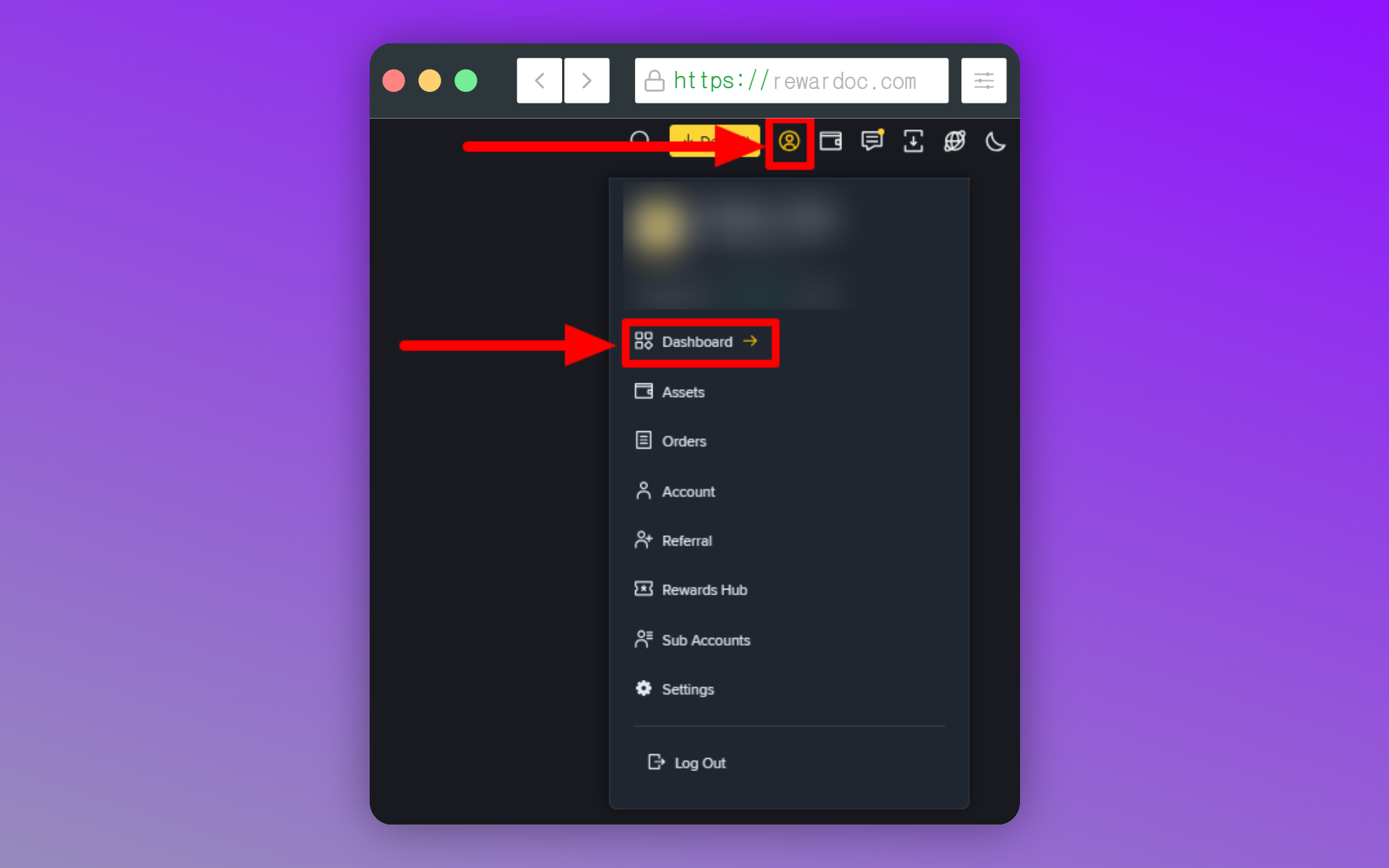
Hover over the profile icon at the top right and go into [Dashboard]. On the mobile app, the same item lives under settings via the profile at the top left.
2. Checking your VIP level
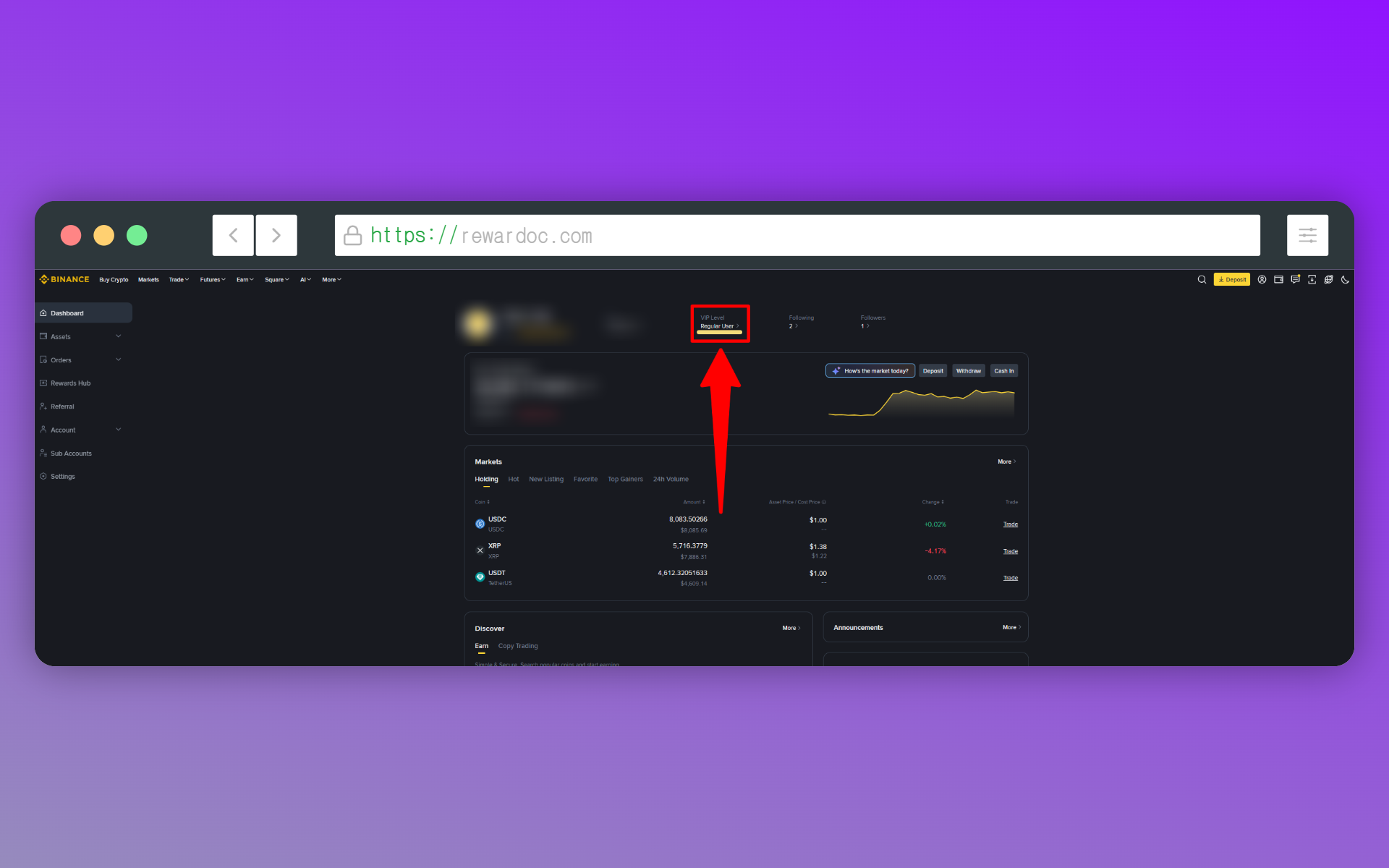
Your current tier shows in the 'VIP Level' section near the top of the page. Click [VIP Level] once more from there and you land on the page showing the fees currently applied to your account. Tiers are set by your 30-day trading volume and BNB holdings, and moving up a rung takes serious volume for a retail trader.
(You can also hit Binance's [Trading Fee Rate] page without logging in to see the overall fee schedule, but the rates that actually apply depend on your account's VIP tier. Log in and follow the steps below to see your real rate.)
3. Checking your spot rate
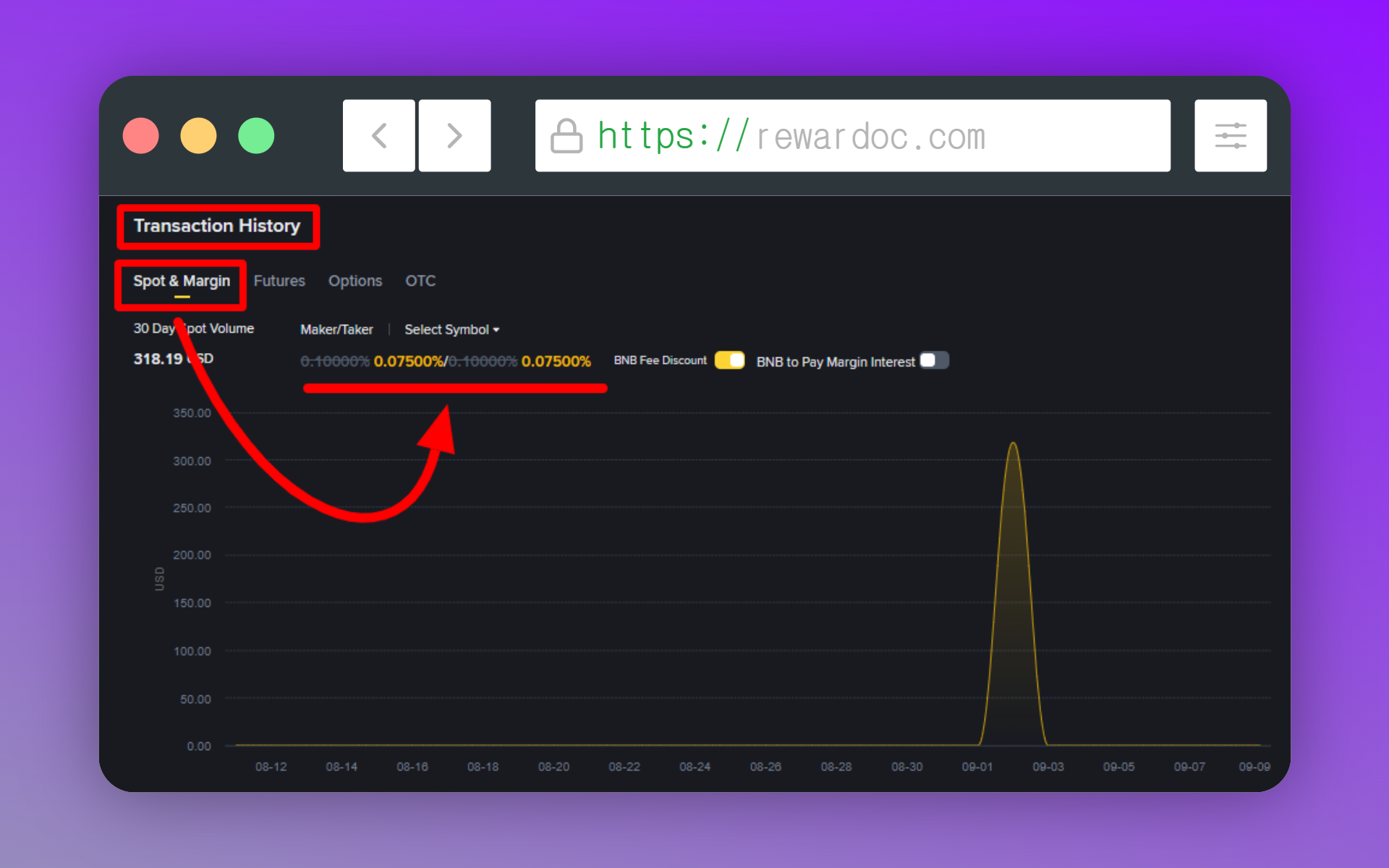
Under 'Spot & Margin' in the [Transaction History] section, you can see the spot and margin fee rates currently applied to your account. Look at both maker and taker. The base is 0.1% on both sides, and with the BNB discount active it shows as 0.075%.
If that number still reads 0.1%, the discount isn't running. (Flip the toggle on the right to switch on the BNB Fee Discount.)
[Image: spot maker/taker rate table]
4. Checking your futures rate
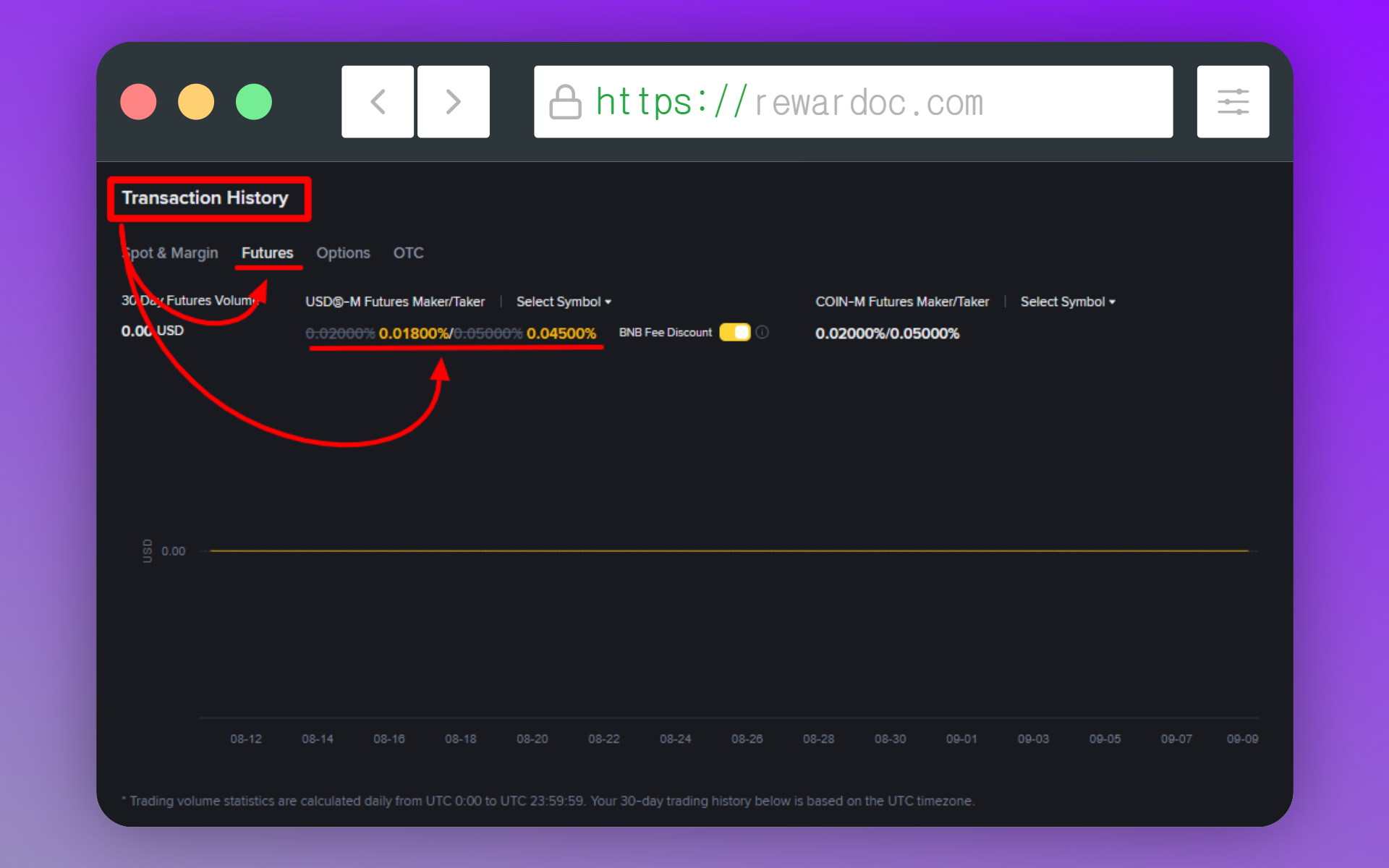
In the same section, select [Futures] to see your futures fee rates. At standard tier it shows 0.02% maker and 0.05% taker, and enabling the 'BNB Fee Discount' toggle likewise brings the discount through at 0.02000%/0.05000% maker/taker.
While you're on the same page, check whether BNB fee payment is switched on. Having the toggle on doesn't automatically mean the discount is applying — you need BNB left in the wallet for it to actually be deducted. Plenty of people see the toggle, relax, and go on paying full price. (See the post on setting up the BNB fee discount.)
[Image: BNB fee payment setting status]
Checking how much you've paid in fees so far
What you've actually paid shows up directly in your trade history. The rate page only tells you what rate will apply; for the amounts that genuinely left your account, this is the accurate source.
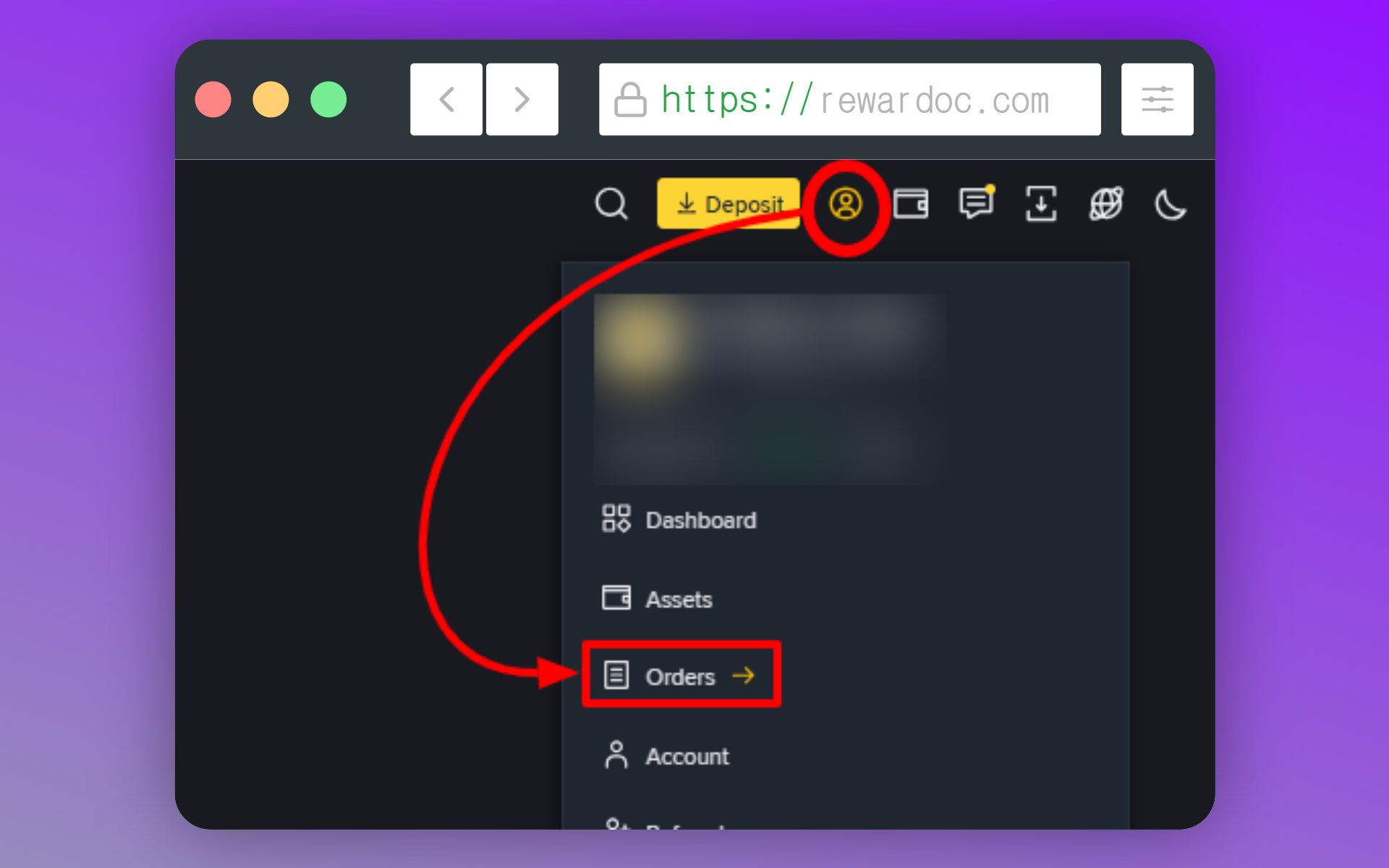
First, from the profile icon at the top right, go into [Orders].
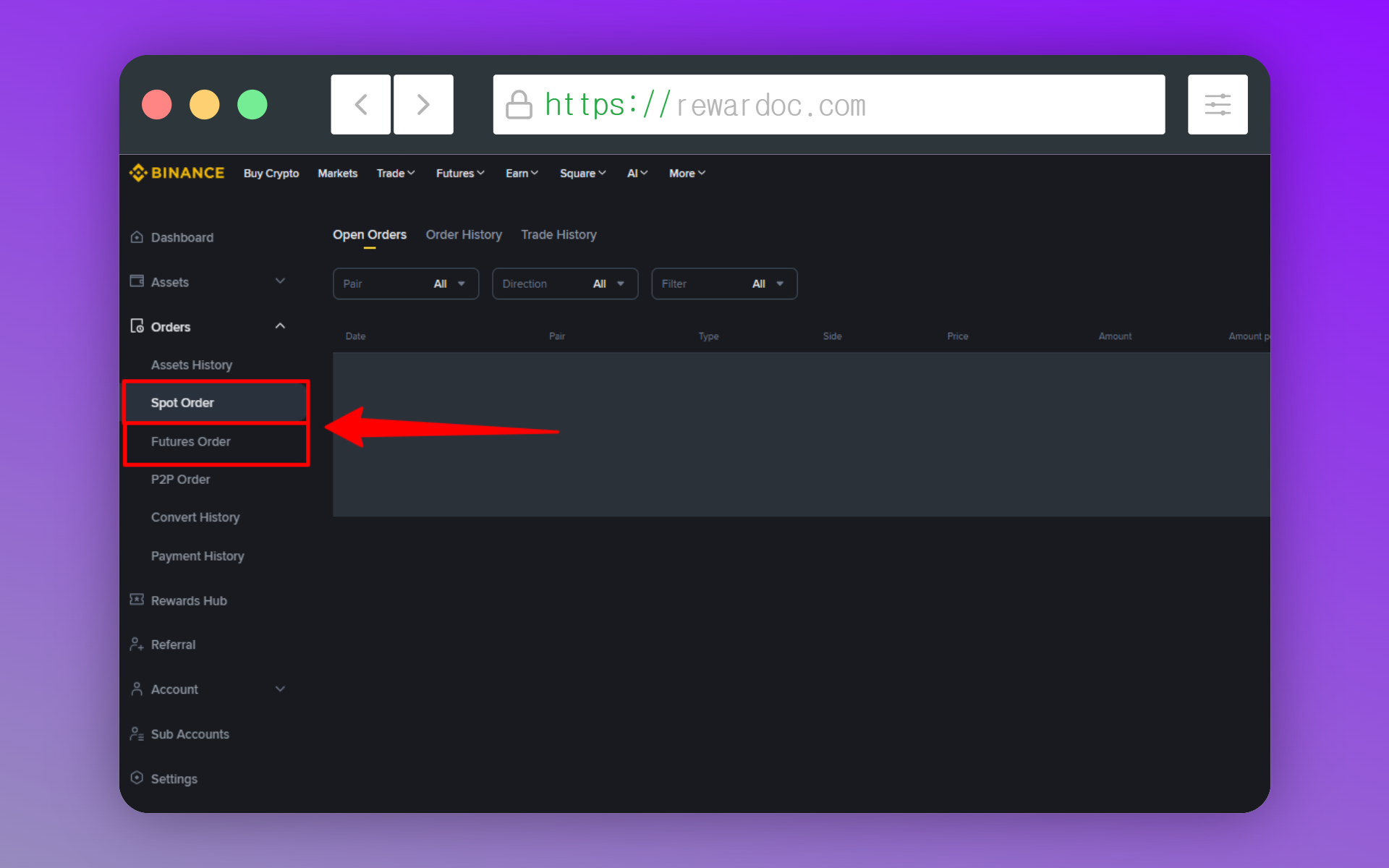
On desktop, pick [Spot Order] for spot records and [Futures Order] for futures. On mobile you select this from the filter at the top.
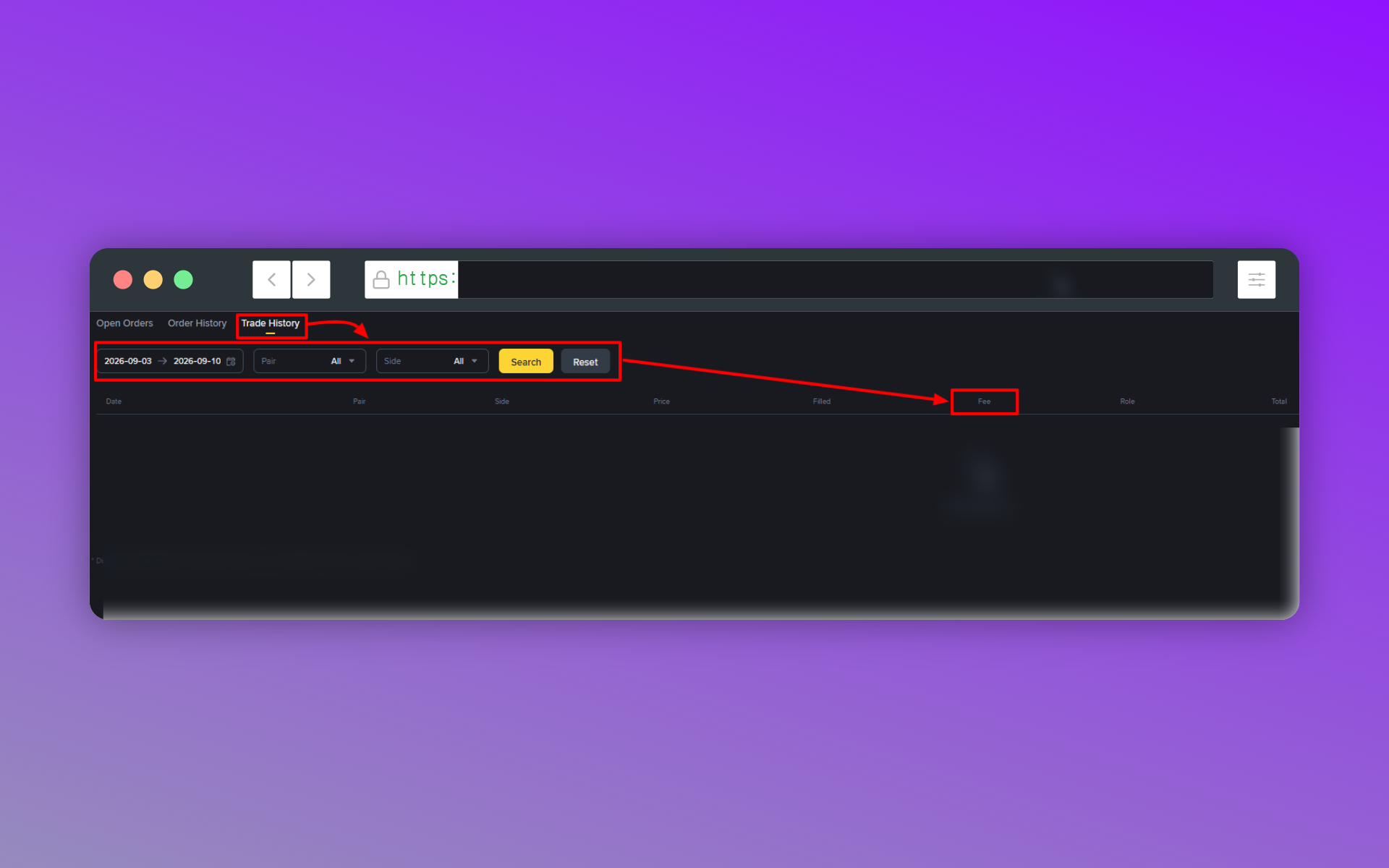
Select the [Trade History] tab and set the period you want to look up. (Up to 3 months.) Run the search and you'll see the fees you paid. The [Fee] column in the results is exactly what's gone out.
※ For anything beyond 3 months, you can export the full history as a spreadsheet. See the [How to check your Binance trade history] post.
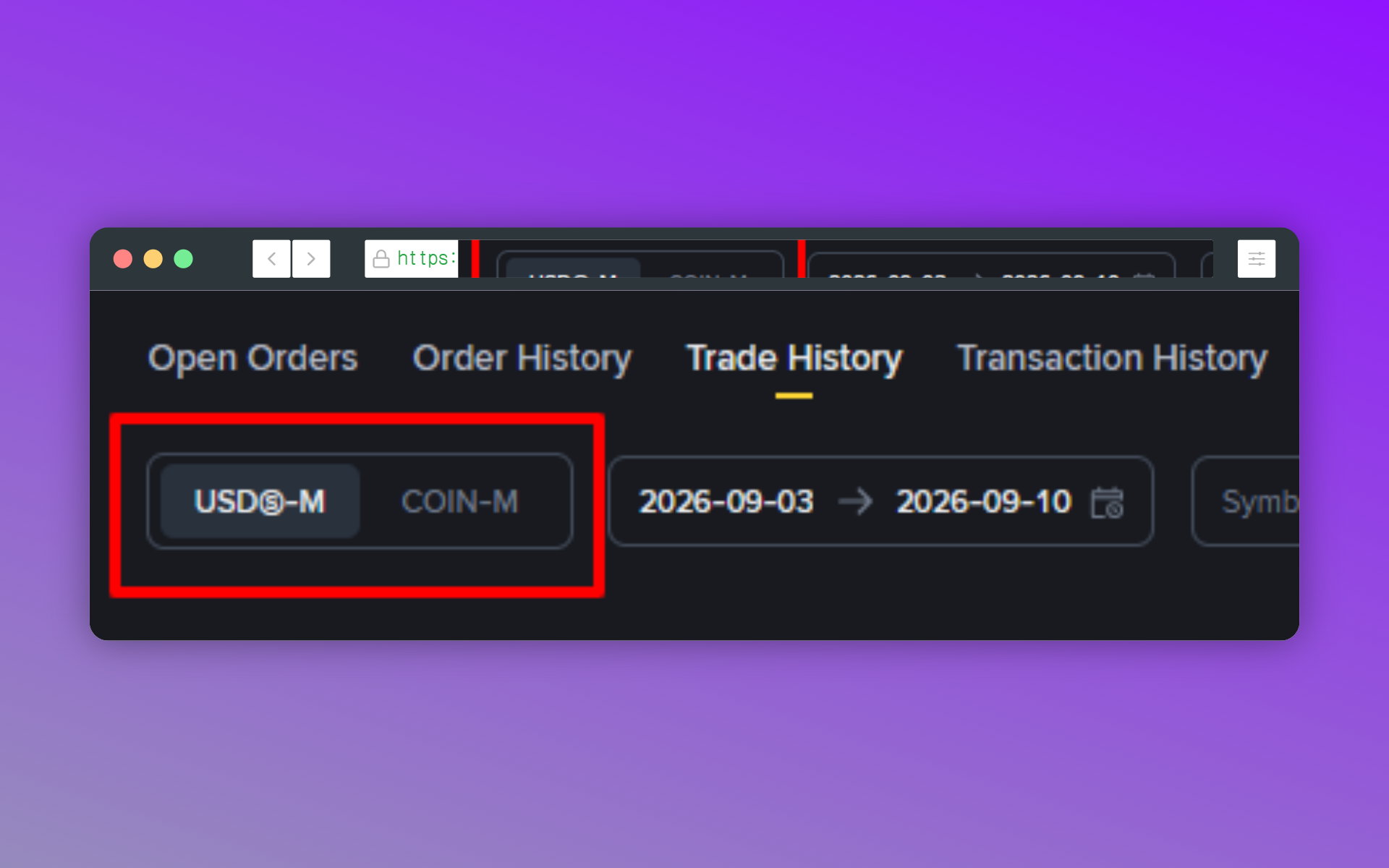
For futures you have to pick the contract type here as well — USD-M or COIN-M.
How to get your trading fees discounted
There are three main ways to cut your fees.
1. Sign up through the official event link
Register through the official event link (Binance signup event link) and a 20% trading fee discount attaches to your account. On top of that, bonuses worth up to 19,800 USD are paid out depending on your trading volume.
This is decided at the moment your account is created, so if you already signed up without it, attaching it later is usually difficult. If you don't have an account yet, sort this out before you register.
2. Pay your fees in BNB
You know fees get deducted every time you trade. Set those fees to come out in BNB and you get 25% off on spot and 10% off on futures. All it takes is buying a small amount of BNB and flipping the setting on.
The key point is that this stacks with the signup discount from option 1. It's not an either-or setup — they're separate discounts, so they layer on top of each other. I've laid out the setup steps in the [How to set up the Binance BNB fee discount] post.
3. Compare referral codes before you use one
Referral codes can be configured with different cashback rates for each code. So even on the same exchange, how much you get back depends on which referral code you came in through. Check whether a code gives you extra cashback beyond the base fee discount before you use it — otherwise you're leaving money on the table. Worth [comparing the terms across Binance referral codes] before you commit.