Binance KYC Failed? 5 Reasons It Gets Rejected and How to Fix Each One
Binance KYC rejected again? The 5 reasons verification fails — name mismatch, unreadable ID photos, selfie checks — and exactly what to fix before you resubmit.

Binance KYC doesn't always clear on the first try. Just don't sit there hammering resubmit every few minutes — stack up enough failed attempts and your case gets bumped to manual review, and now you're waiting days. Run through the list below first, then send it back in.
There's only a handful of rejection reasons, and most of them clear on the next attempt once you fix the actual problem. Here's what to fix for each one, and how to change details you've already submitted.
💡 Before you start!
- No Binance account yet? 👉 [How to sign up for Binance + complete KYC]
- New user bonus 👉 [Binance sign-up bonus page]
1. Most of the time, it's the name
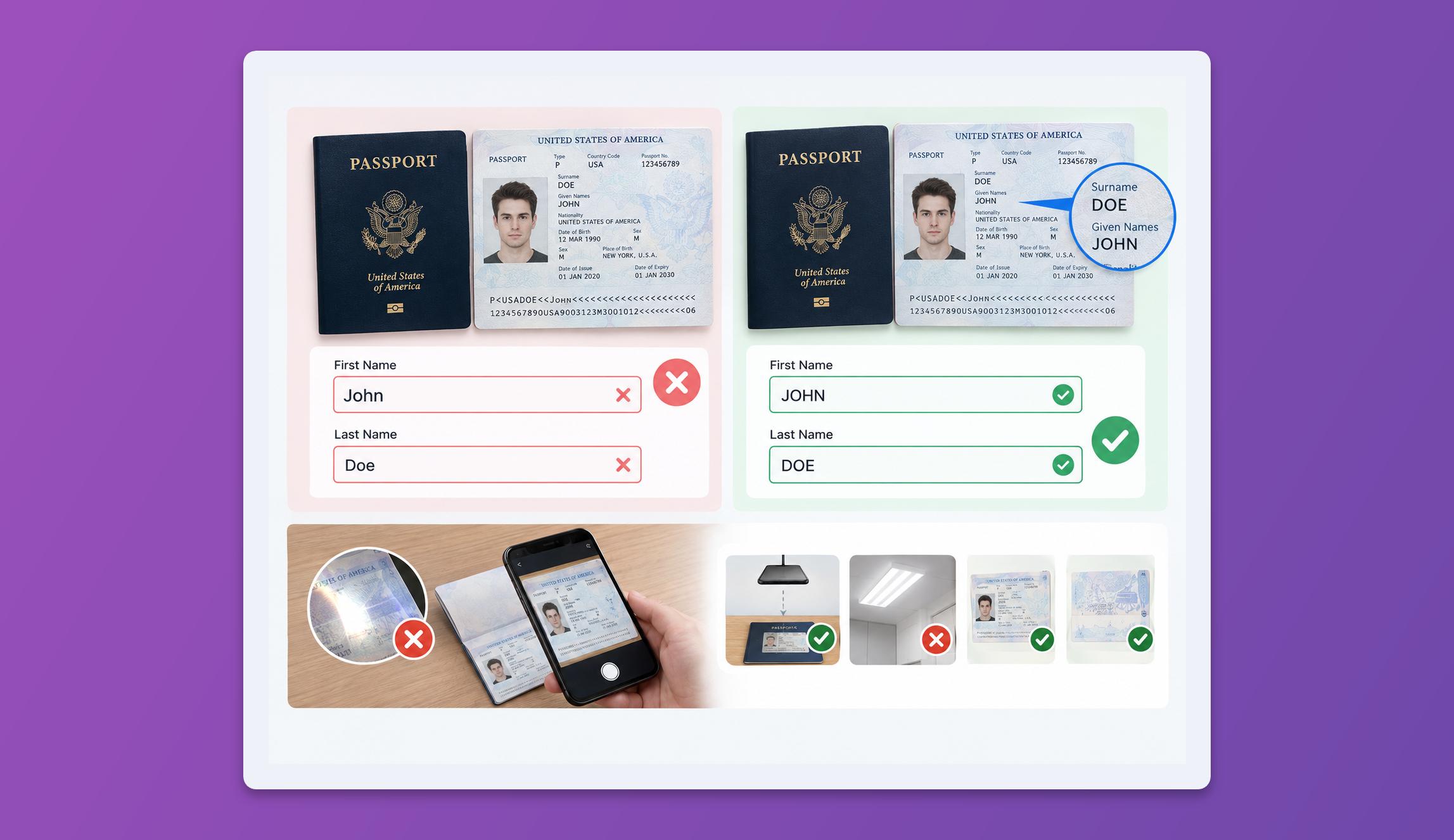
The most common rejection by far is a name that doesn't match the document. Surname and given-name order flips from country to country, and plenty of national ID cards don't print a Latin-alphabet version of your name at all. If you've ever stared at that field wondering whether it's 'SMITH JOHN' or 'JOHN SMITH', you're not alone.
Go by your passport. Copy it exactly — same order, same spacing, same hyphens. No passport? Open another account you've already verified — an exchange, your bank — and copy the name letter for letter.
And if a wrong name does slip past KYC, it catches up with you later: the Travel Rule flags the transfer and your deposit sits there frozen. (See [the Travel Rule explained].)
Already submitted the wrong name? Request a fix under [Update Identity].
2. The ID photo can't be read
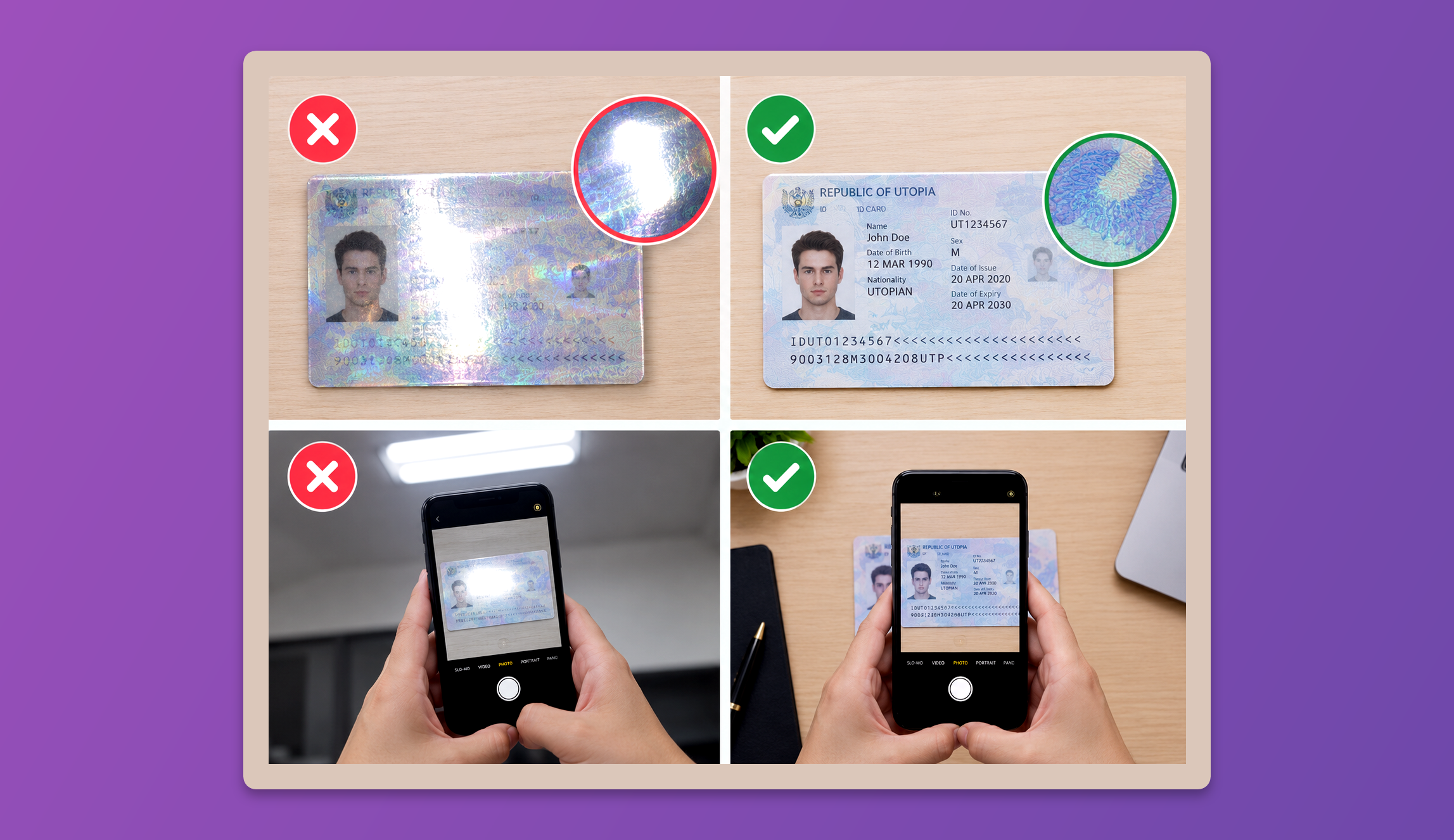
It's almost never resolution — it's glare. Light bouncing off the hologram washes out your name or document number, and the system throws it back.
Lay the card on a dark surface and shoot straight down from above. That kills most of the reflection. Don't stand directly under a ceiling light, and before you upload, zoom in and make sure every character is readable. You need both sides.
3. The selfie check keeps failing
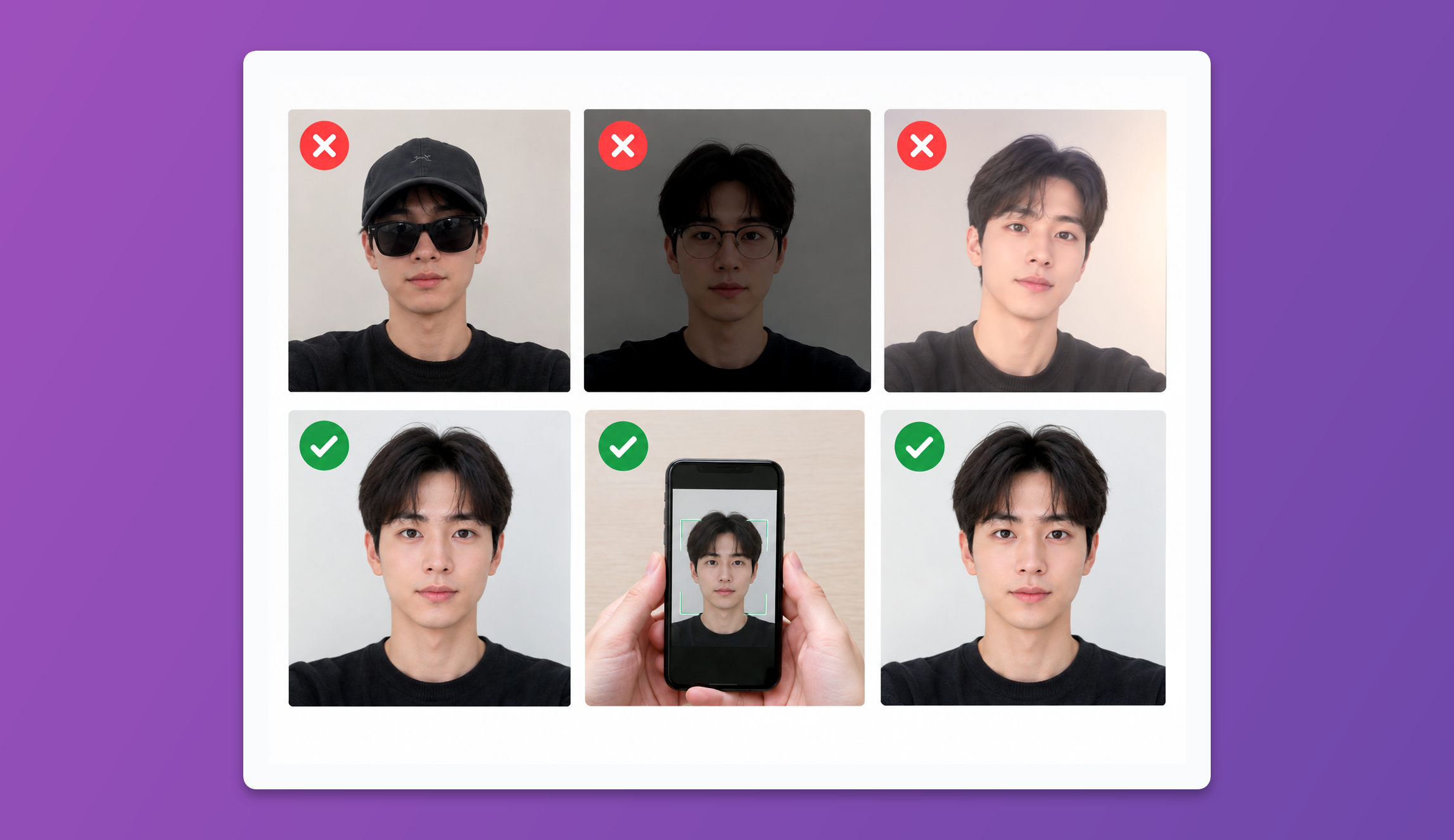
Hat off, glasses off, no filters, bright room, full face centered in the frame. And if your ID photo is old enough that you barely look like it anymore, nothing you do will get it through — switch to a more recently issued document, usually your passport.
4. Wrong country of residence or issuance
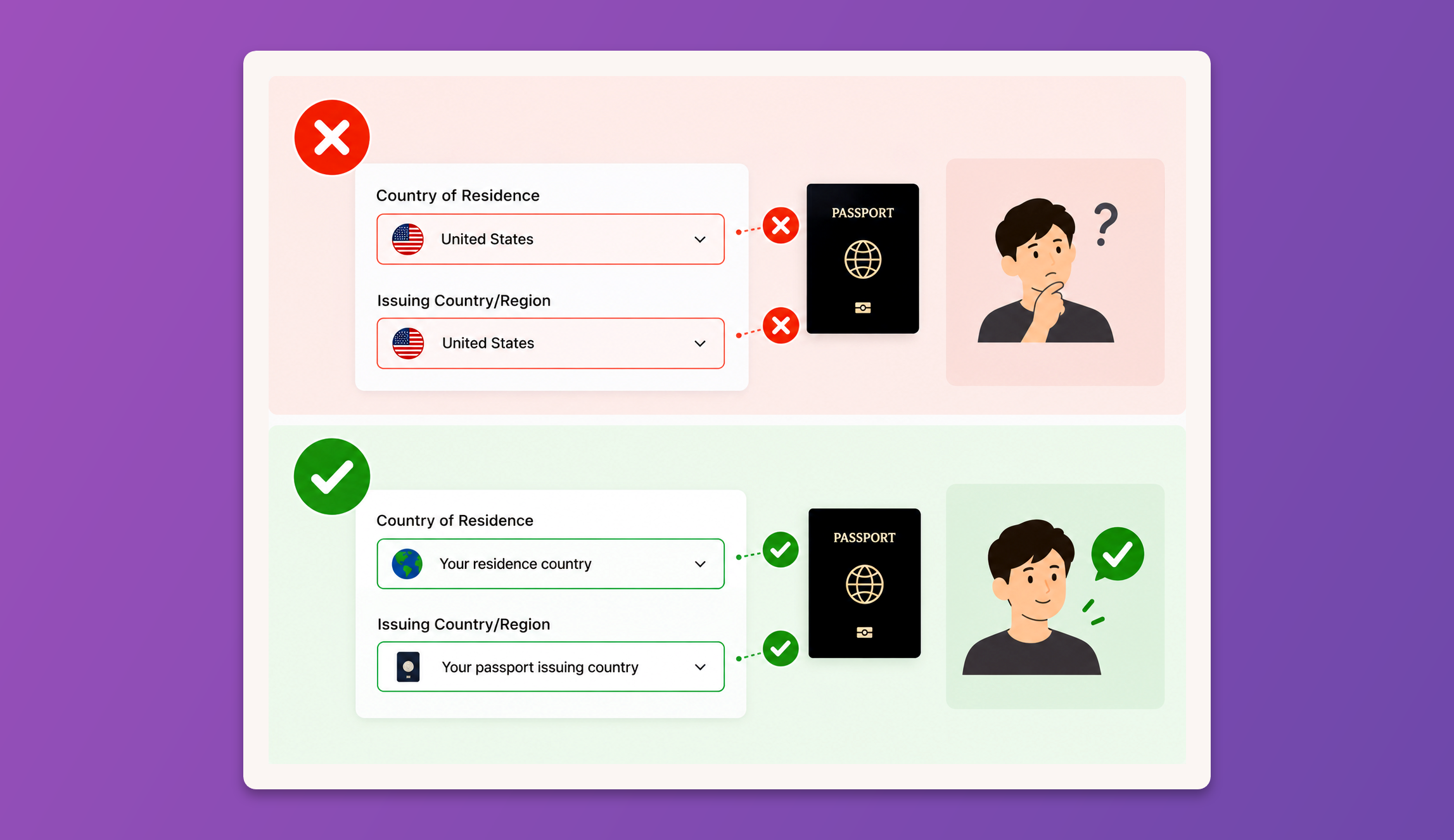
Living somewhere other than where your ID was issued? Those are two separate fields at signup, and both have to be right. The [Binance sign-up guide] walks through it if you're not sure which is which.
5. You already have a verified account
Binance allows one verified personal account per person, full stop. If you verified with the same ID on an account you set up years ago, the new one will never pass. Log back in with the old email and use that account, or ask support to sort it out.
6. How to reach support
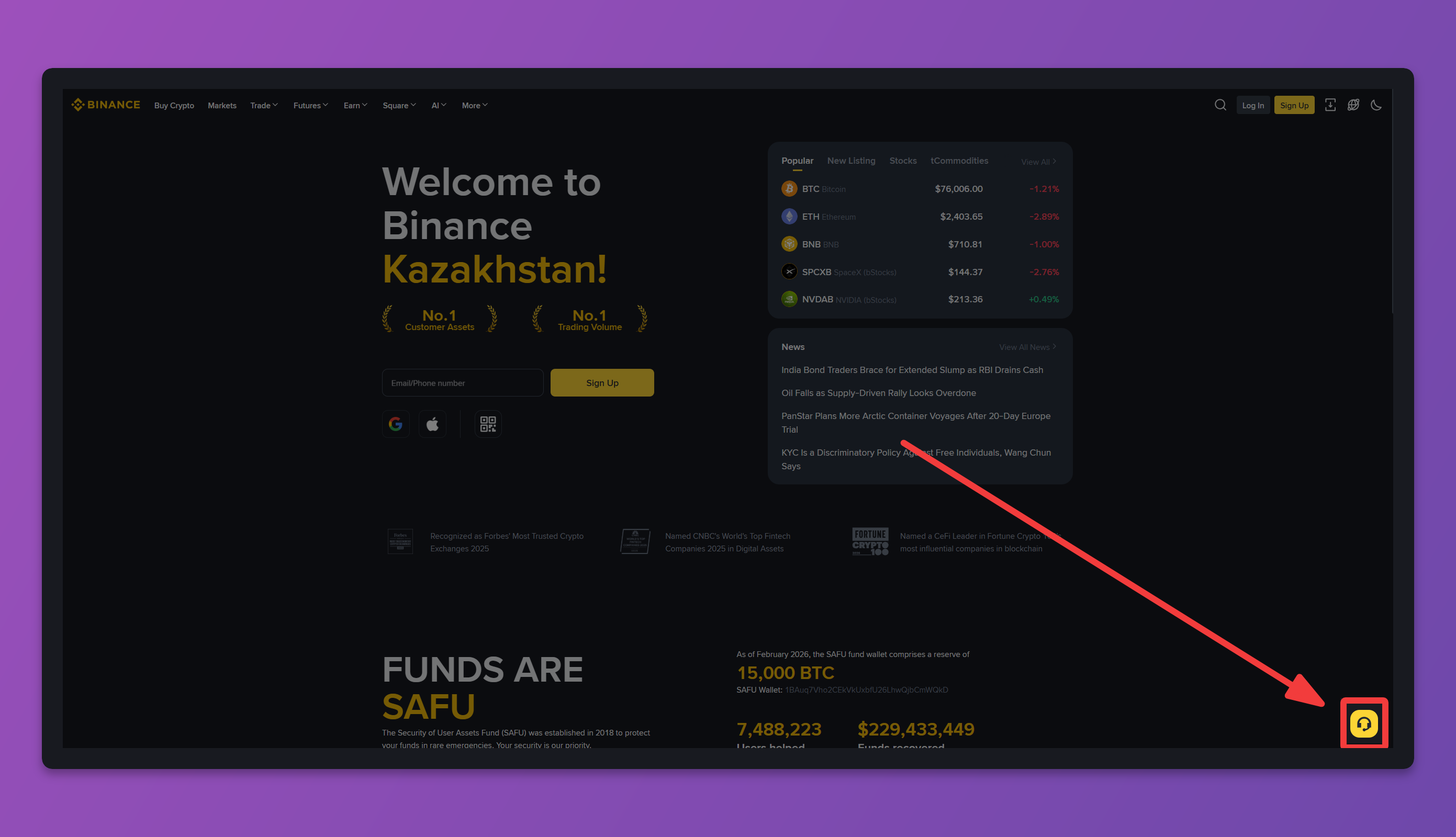
Checked everything above and it still won't go through? Take it to Binance [24/7 Chat Support]. Open the Binance website and hit the chat widget in the bottom-right corner to get a live agent.